
Open an Orbit Exchange Account on the Betting Exchange, Step by Step
Four brokers open the account. The form is not the same, and neither is the moment the ID checks start.
You register for Orbit Exchange through a broker, and four of them open the betting exchange: AsianConnect, BetInAsia, MadMarket and Sportmarket. Each sets a minimum first deposit to switch its Orbit tool on: €10 at AsianConnect, €50 at BetInAsia and MadMarket, €100 at Sportmarket. The ID check lands at a different moment for each: Sportmarket checks you before the account is funded, AsianConnect before any withdrawal, and BetInAsia and MadMarket once deposits pass €2,000 or at a withdrawal. The table below puts the four side by side.
Where to register
Nobody enjoys sign-up forms. So here is what the four ask of you, and when, before you open a single tab.
| Broker (tool) | Minimum first deposit to switch the tool on | What the form asks | When ID checks start | How your Orbit login arrives |
|---|---|---|---|---|
| AsianConnect (OrbitX) | €10 | E-mail, full name, date of birth, contact number, country, currency, and a username for OrbitX | Before any withdrawal: every account is fully verified first | Sent once the deposit has arrived |
| BetInAsia (Sharp Exchange) | €50 | First name, last name, date of birth, country, e-mail and account currency at the portal, then Create Account for Sharp Exchange | Once lifetime deposits pass €2,000, or at any withdrawal request | You create it: a username of 5 characters or more, a password of 8 or more |
| MadMarket (Sharp Exchange) | €50 | E-mail, password twice, first name, last name, country, then an e-mail verification | Once deposits pass €2,000, or at any withdrawal | Once your first deposit is in, you create the Sharp Exchange account from Products in your MadMarket account |
| Sportmarket (FairExchange) | €100 to activate FairExchange | A two-step form: e-mail, username, password, names, date of birth and gender, then country, city, postal code, phone, address and a captcha, then an activation code | Before the account is funded, and always before a withdrawal | Once the account is verified and funded, you press Request account in the FairExchange window; two-factor authentication is required |
Short version: choose on the first deposit and on when you want the ID check to happen. The exchange behind all four is the same one, and each broker also opens some of the Asian books on the same account. For more than a table can show, see how the four compare.
The Register tab on Orbit Exchange sends you to a broker, so the form you fill in is always the broker's. If brokers are new to you, how betting brokers work is the place to start, and betting brokers gives the wider picture. If the exchange itself is new, read what Orbit Exchange is.
Sign up
Open the account with the broker you picked. The table above lists what its form asks.
Fund the account
Send the first deposit. If you plan to pay in crypto, betting with crypto covers that.
Switch on the Orbit tool and log in
OrbitX, Sharp Exchange or FairExchange, depending on the broker. How the login reaches you is in the last column.
AsianConnect, screen by screen
We went through this sign-up and added OrbitX. These are the screens, with personal details blurred.
The form
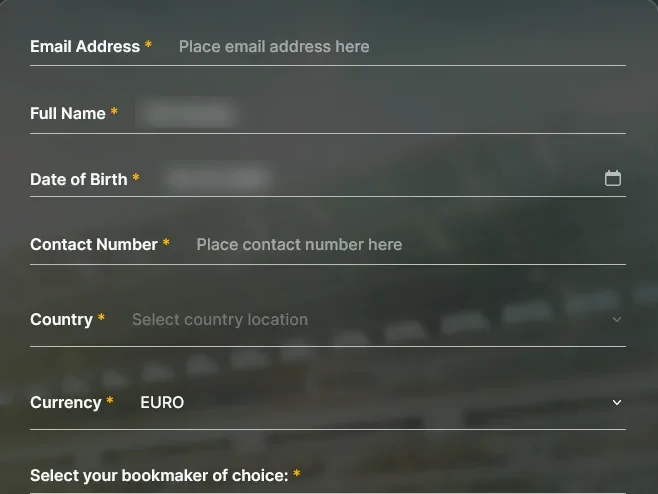
Six fields, a tick, a button.
The form asks for an e-mail address, a full name, a date of birth, a contact number, a country and a currency. The currency reads EURO by default, and AsianConnect accounts are in euros only. Under the six fields comes a list headed "Select your bookmaker of choice" with four products to tick, OrbitX among them. Nothing on the form asks for money.
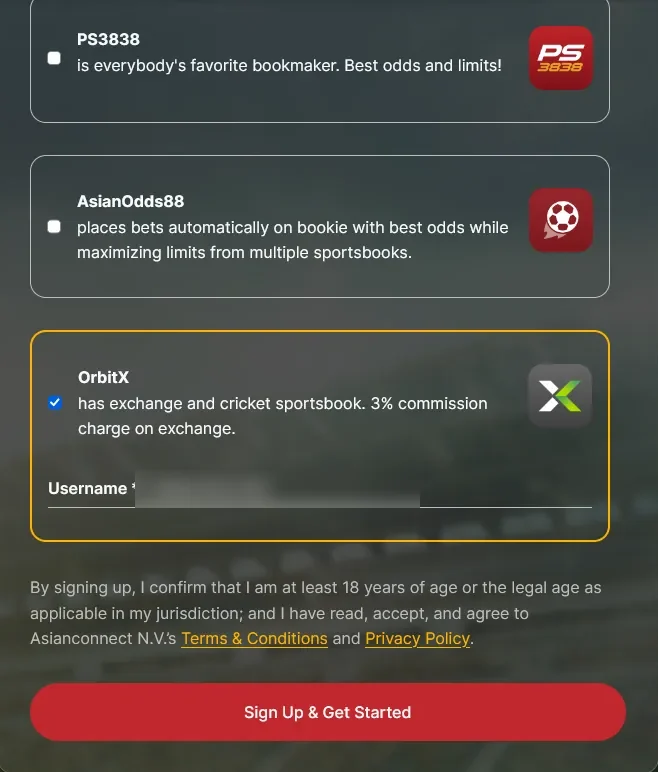
OrbitX is described as an exchange plus a cricket sportsbook, with a 3% commission charge on the exchange. The username needs 6 characters or more. Under the card you confirm that you are at least 18, or the legal age where you live, and accept the terms; then comes the Sign Up & Get Started button.
Adding OrbitX from inside the account
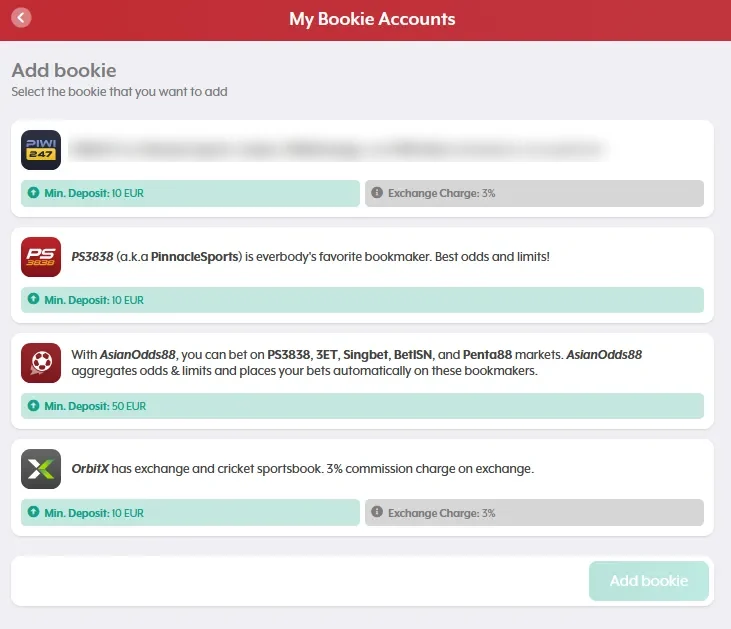
Under My Bookie Accounts, the Add bookie screen lists each product with its minimum deposit. OrbitX shows 10 EUR and a 3% exchange charge. Add it and a window confirms that the product has been added, tells you that you can now request a deposit into your account, and adds that the username and password for the product arrive once AsianConnect has received that deposit. What that 3% leaves you on a winning bet is worked out on the commission page.
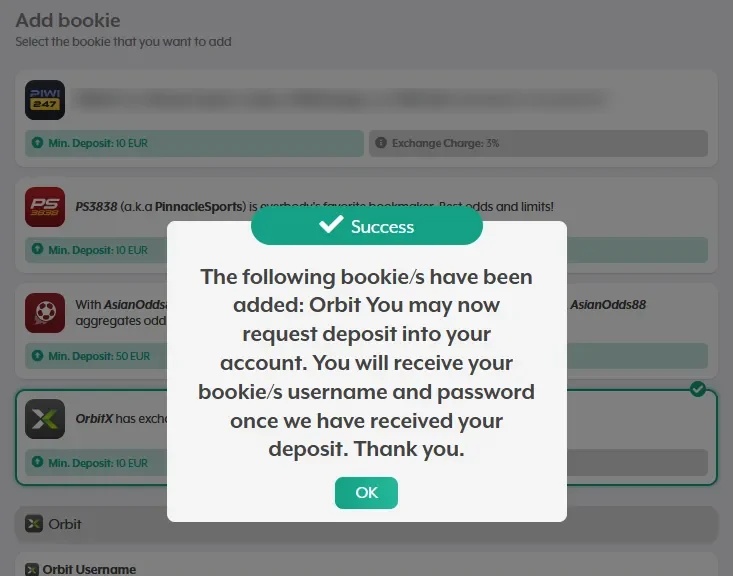
Money first, login second.
The account area
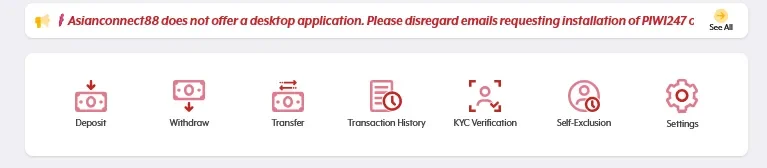
Inside the account there are seven entries: Deposit, Withdraw, Transfer, Transaction History, KYC Verification, Self-Exclusion and Settings. KYC Verification has its own tile. AsianConnect verifies every account fully before a withdrawal, and one verification covers all its products, so you do it once and not once per tool. Self-Exclusion sits in the same row as Deposit, which is the right place for it. Responsible gambling covers the limits to set before the first bet.
Best for: the lowest first deposit of the four, €10. Not ideal if: you want a balance in pounds or dollars, because the account is in euros only.
BetInAsia, screen by screen
We signed up with BetInAsia and read its welcome screen and its Products page. Nothing past that.
The form
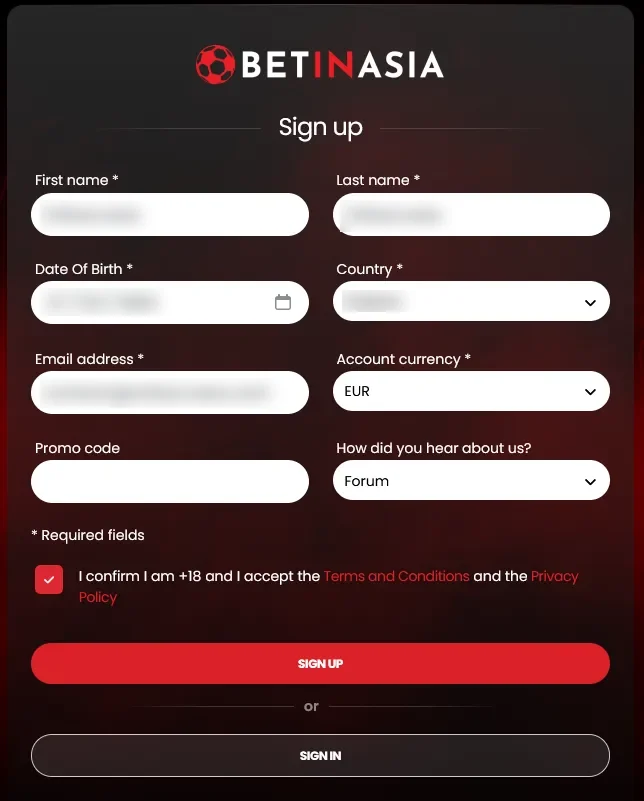
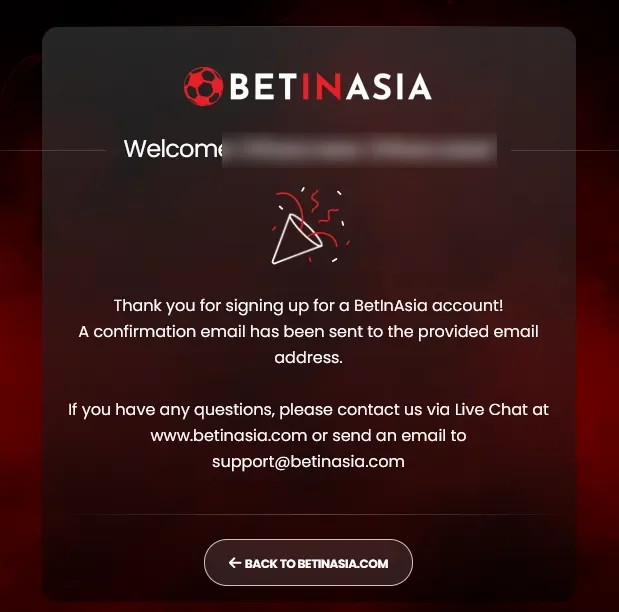
Six required fields: first name, last name, date of birth, country, e-mail address and account currency. A promo code and a question about how you heard of the site are optional. Below them a box confirms you are over 18 and accept the terms and the privacy policy. Send it and a welcome screen says a confirmation e-mail has been sent to your address.
Products
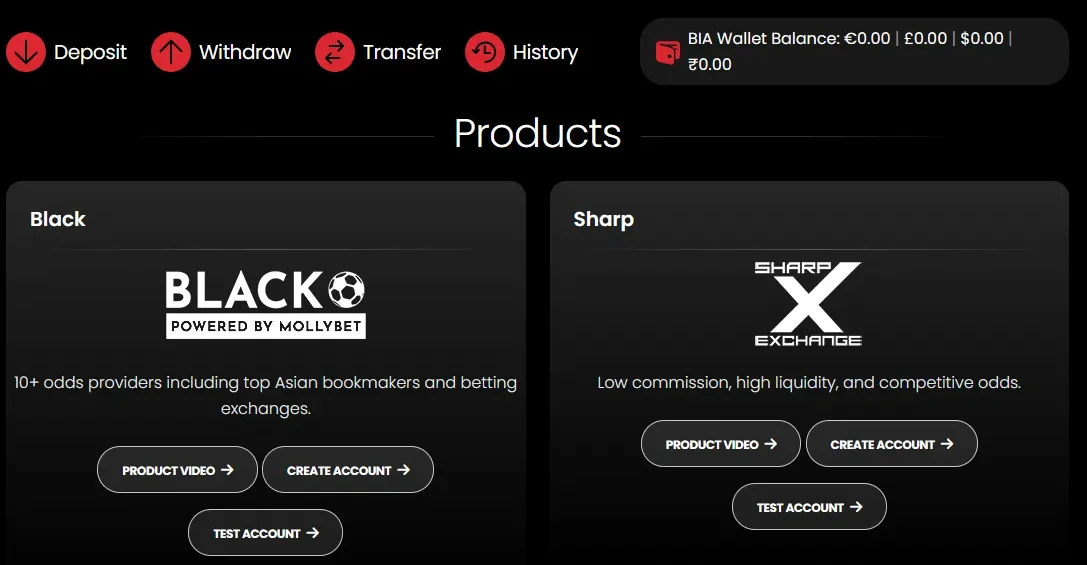
The Products page has a card for Black and one for Sharp Exchange, with PS3838 and BIA Apex below them. Each of the first two has three buttons: Product video, Create account and Test account. The bar at the top shows your wallet in four currencies, €, £, $ and ₹.
Best for: one account for all 16 places we track, in the currency you choose. Not ideal if: your first deposit is under €50.
MadMarket, screen by screen
We signed up with MadMarket, read its home screen and its Products page, and looked at the Sharp Exchange screen. Nothing past that.
The form
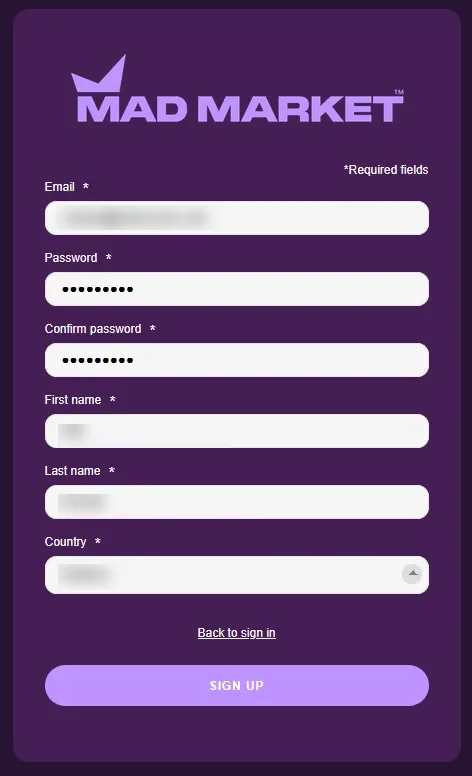
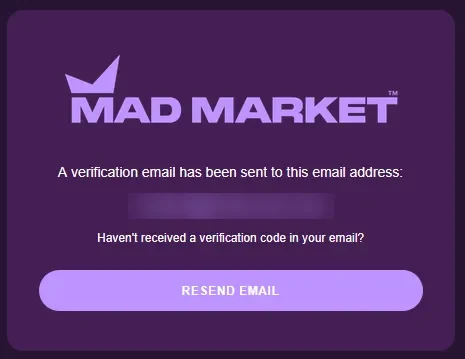
E-mail, password, the password again, first name, last name and country. Submit it and a screen says a verification e-mail has been sent to your address, with a Resend email button. An inbox you can open is part of this sign-up.
Home and Products
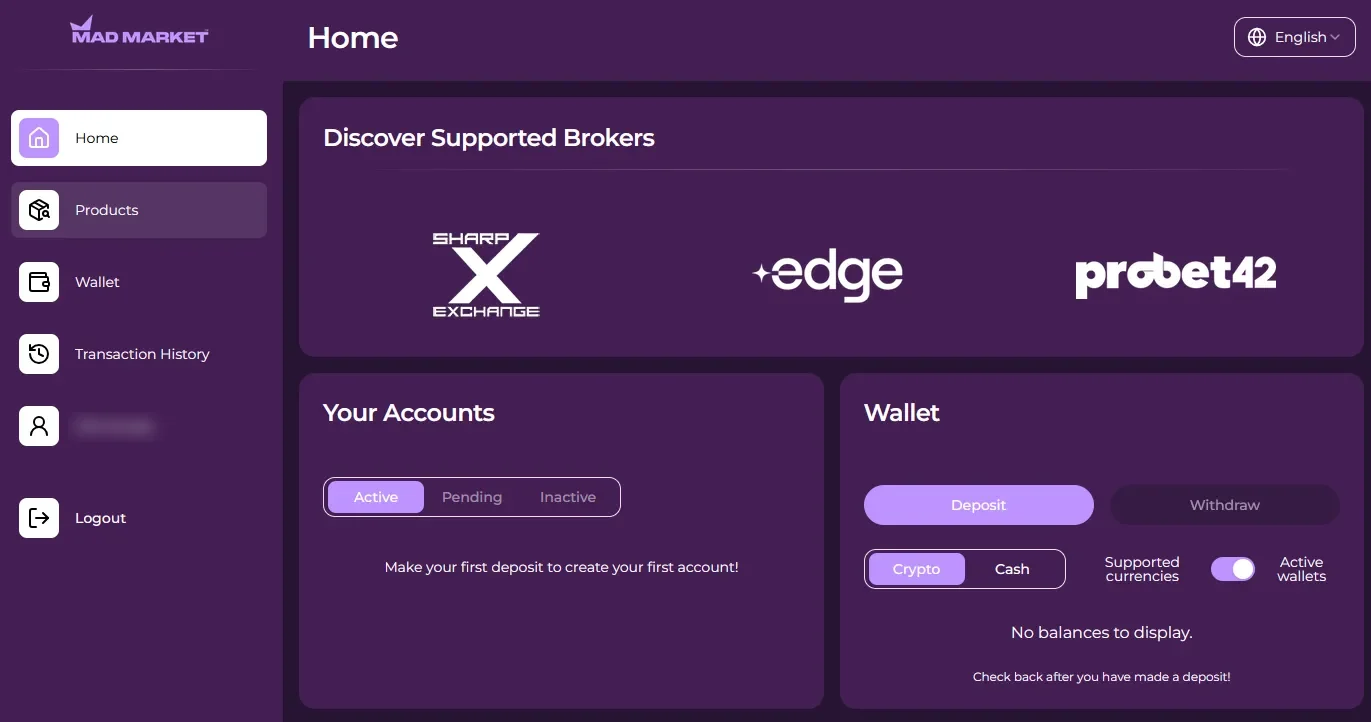
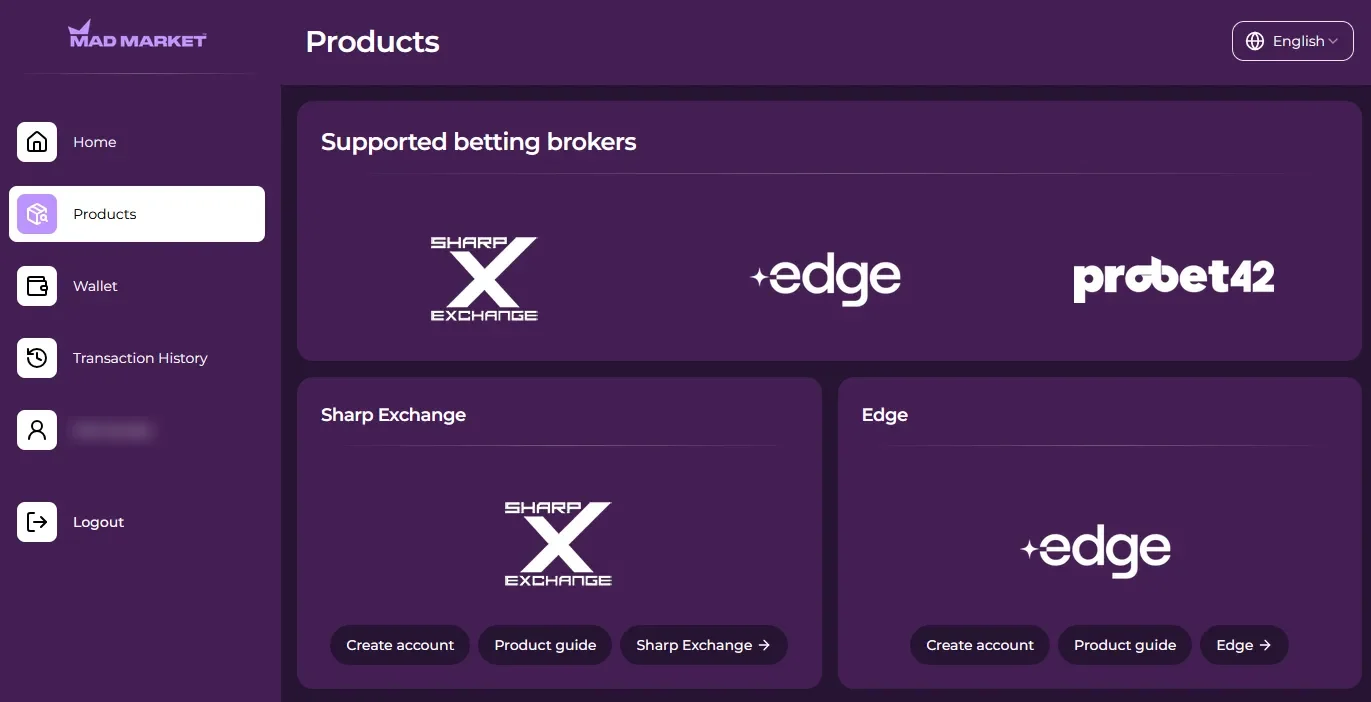
The home screen lists Sharp Exchange, Edge and Probet42 under Discover Supported Brokers. Your Accounts is empty and reads “Make your first deposit to create your first account!”, and the Wallet offers Deposit and Withdraw, in Crypto or Cash. The Products page gives Sharp Exchange its own card, with Create account, Product guide and a link to the exchange. Signing up, opening product accounts and transferring all work before verification, which is compulsory once deposits pass €2,000 or at any withdrawal.
The exchange screen
This is the Sharp Exchange screen before anyone has logged in: a Username/Email and Password bar with a Login button, a sports menu on the left, a Betslip on the right with Place Bets and Open Bets, and the markets in the middle. Back prices sit in blue cells, lay prices in pink ones, with a Matched column beside them. The login fields, the blue and pink cells, the Matched column and the Betslip with Place Bets are the same building blocks as the screen described in the overview of Orbit Exchange.
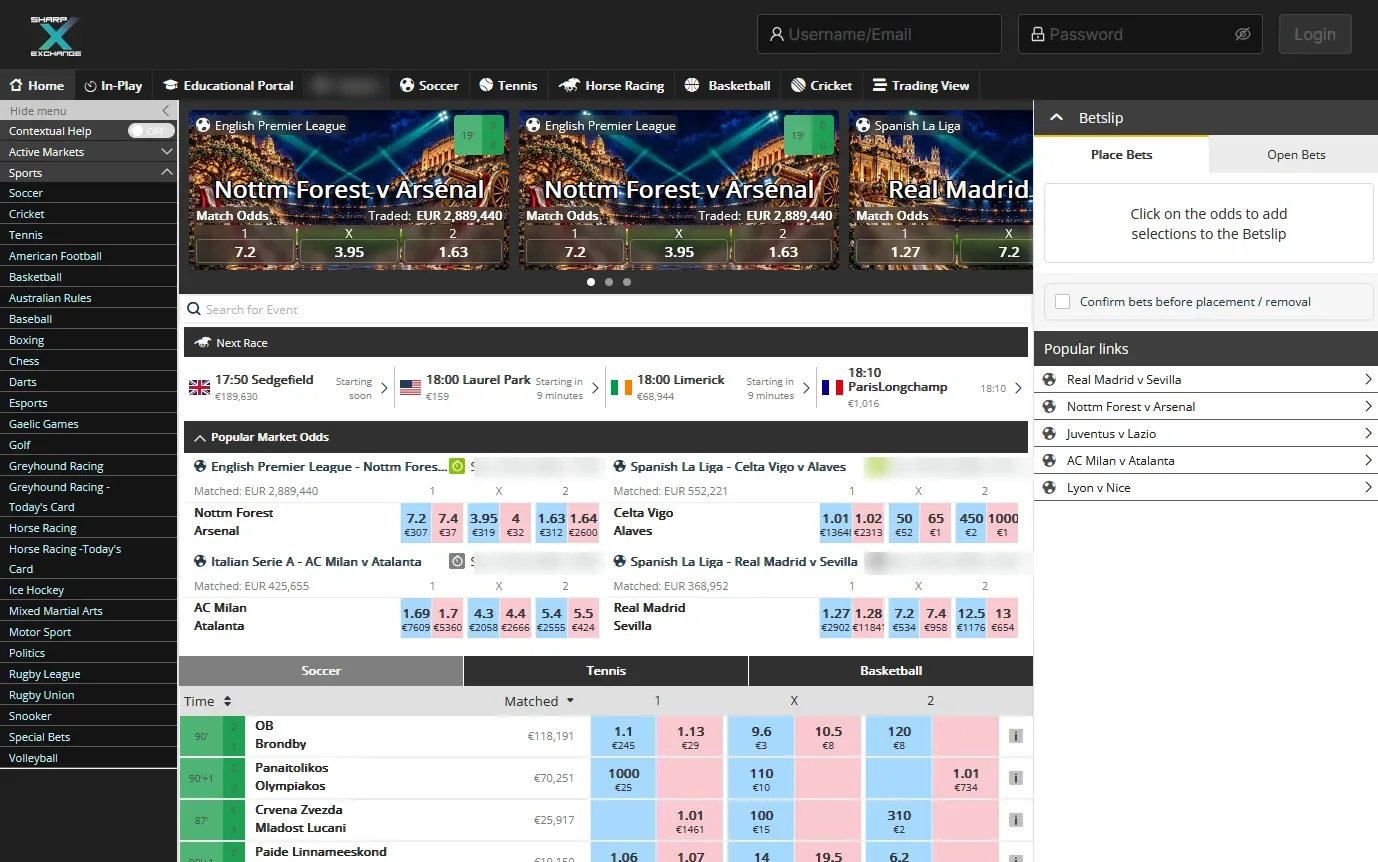
Best for: opening the product accounts and moving money between them, instant and free. Not ideal if: you want a balance in pounds or dollars.
Sportmarket, screen by screen
We went through the Sportmarket registration form and its activation screen, then read its Betting Accounts page and the FairExchange window. Nothing past that.
The form
This one is the longest of the four, and it comes in two steps. Step one: e-mail, username, password typed twice with a strength meter, first and last name, date of birth and gender. Step two: country, city, postal code, phone and address, an optional promo code, a captcha, a box to accept the terms and a box for product updates by e-mail. Then an activation screen asks for a code sent to your address.
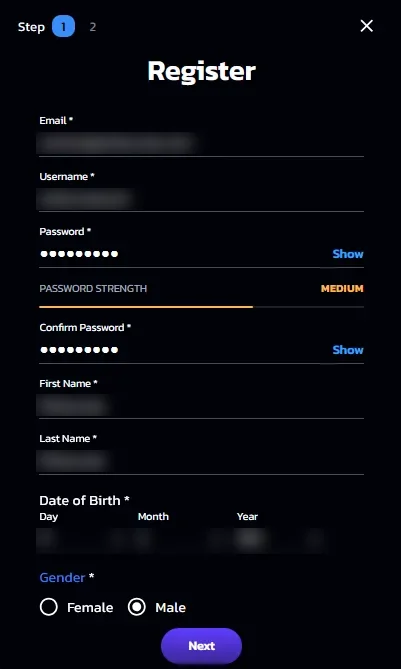
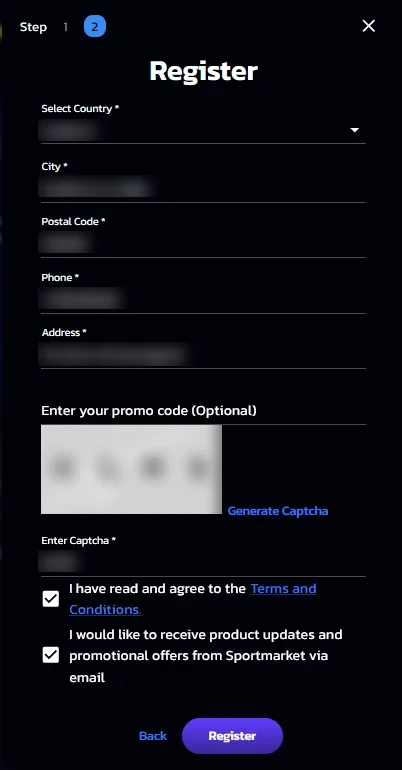
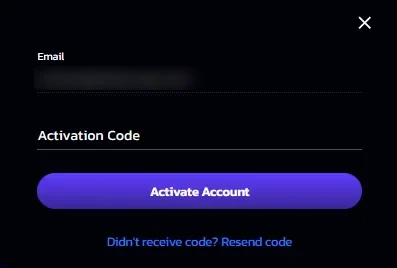
Betting Accounts and FairExchange
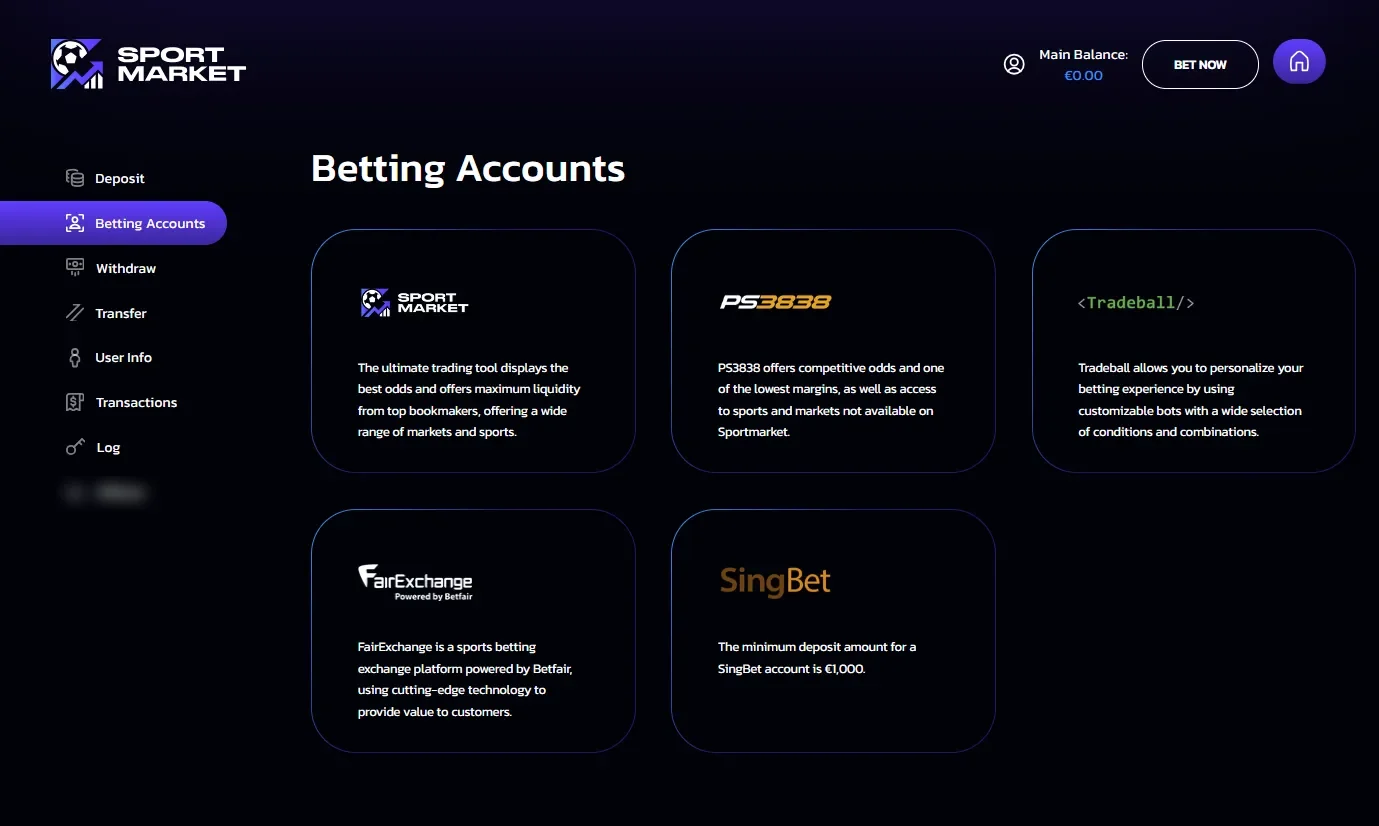
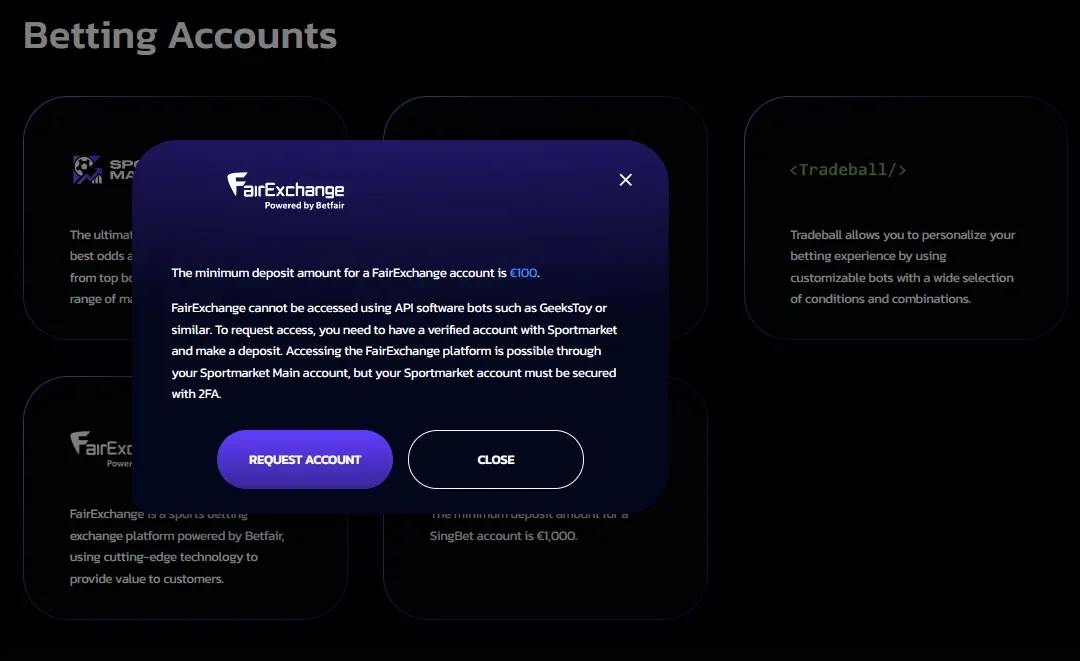
The Betting Accounts page lists Sportmarket, PS3838, Tradeball, FairExchange and SingBet. FairExchange has its own window. The minimum deposit is €100, API software bots such as GeeksToy cannot use it, and you need a verified Sportmarket account and a deposit before you can request access. It is reached through your Sportmarket Main account, which must be secured with two-factor authentication. The window ends on a Request account button.
Best for: a broker where verification comes first and which opens 12 places. Not ideal if: you want to activate FairExchange for less than €100.
Before you start: what to have ready
With one proof of address dated within the last two months, a passport, an ID card or a driving licence, a phone for the selfie some brokers ask for and the money for the first deposit, you can start with any broker that accepts your country, and what is left to choose is the broker, because each one sets its own moment for the ID check.
Sign-up checklist
Tick what you already have. Pick a broker to see what its form asks and what the first deposit is.
Pick a broker above to see its own form and rules.
Seven things that slow an account down
The forms are the easy part. Three things come up on every one of them:
- An e-mail address, asked by all four brokers.
- Your name, as a full name at AsianConnect and a first and last name at the other three.
- Your country, on all four forms.
Documents are where the time goes. Seven ways to lose it:
- A proof of address older than the limit. AsianConnect wants one dated within 2 months; BetInAsia, MadMarket and Sportmarket want one within 3 months.
- A phone bill as proof of address. AsianConnect refuses a mobile phone bill and BetInAsia refuses a phone bill.
- A screenshot instead of a document. BetInAsia refuses screenshots, and a screenshot of a statement is a picture of a document, not the document.
- A country that is not on the form's list. Sportmarket opens no account for a country its form leaves out.
- A second account at AsianConnect. It allows one account per client, and OrbitX is added from inside it.
- Asking for a withdrawal before you are verified. BetInAsia and MadMarket require verification at a withdrawal, AsianConnect before any withdrawal, Sportmarket always before one. The verification page goes through what each asks for.
- Withdrawing before the turnover is done. The turnover is once at AsianConnect and BetInAsia, three times at MadMarket, five times at Sportmarket. An early withdrawal carries a fee at AsianConnect, MadMarket and Sportmarket; BetInAsia decides case by case and discloses any fee first. The page on deposits and withdrawals has the rest.
One document, four brokers
A proof of address dated within the last two months fits all four.
Pick the country first
France and the United States are out at all four: AsianConnect's sign-up list leaves them off, and BetInAsia, MadMarket and Sportmarket exclude them. Those three exclude the United Kingdom too; AsianConnect's list includes it.
The normal way in is a broker that accepts your country, and there is no detour to plan. The routes into the exchange lays out each one.
Do the form before the Sunday line
Say your plan is €300 on a Sunday line and nobody to ask why. The sign-up is the one part of that plan that waits on the broker (a code to arrive by e-mail, a deposit to receive), so start it on a quiet evening. (What limits a stake on an exchange is in betting without limits.) Not sure which of the four to open? The route finder on the home page ticks the places you want and names the brokers that open them.